The Spreadsheet
Certifications in Excel
- ×Expirations discovered during audits
- ×Evidence in email attachments and shared drives
- ×No approval workflow — renewals by memory
- ×No single view of org-wide compliance
- ×No renewal history or audit trail
- ×Version control is “certifications_v3_FINAL.xlsx”
SkillsDB
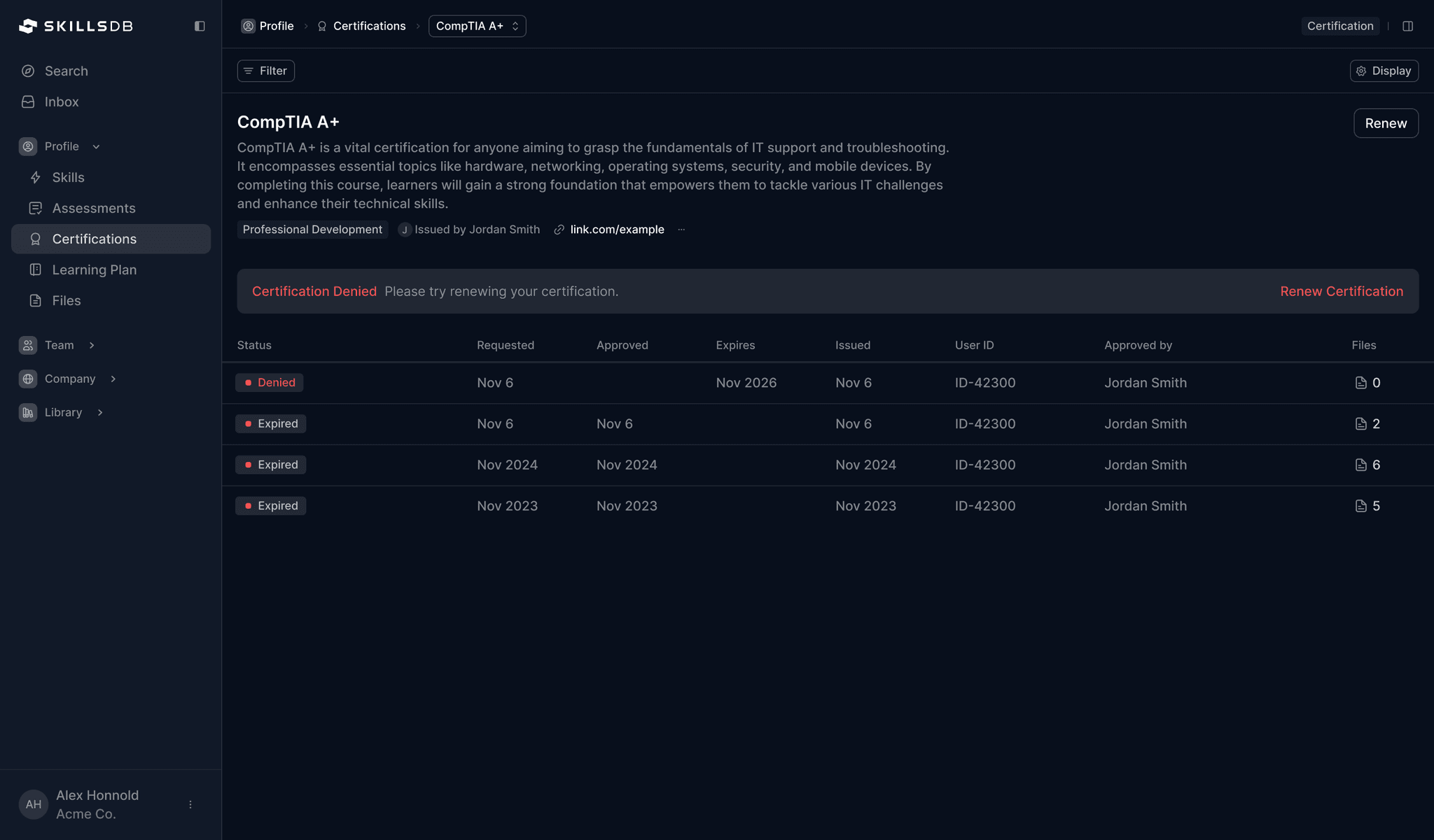
Certifications as a system
- →Automatic expiration alerts at 30 days
- →Evidence attached directly to each credential
- →Structured approval with timestamped decisions
- →Org-wide visibility — filter by status, team, type
- →Complete renewal history preserved forever
- →SOC2 certified, audit-ready from day one
Trusted by some of the world's best companies


19
Years in skills intelligence
F500
Enterprise customer base
SOC2
Type II certified + GDPR compliant
30+
Countries served
Worldwide
Major languages supported
Feature comparison
| Capability | The Spreadsheet | SkillsDB |
|---|---|---|
| Expiration monitoring | ✕ | Automatic |
| Approval workflow | ✕ | ✓ |
| Evidence/document upload | Manual | ✓ |
| Renewal history | ✕ | ✓ |
| Org-wide visibility | Limited | ✓ |
| Audit trail | ✕ | ✓ |
| Status-based filtering | ✕ | ✓ |
| Delegated approvers | ✕ | ✓ |
| SOC2 / GDPR compliance | ✕ | ✓ |
Ready to stop tracking certifications in spreadsheets?
See your entire certification landscape in one system — with structured workflows and audit-ready history.